

>SudoTrace is a free, self-hosted, AI-assisted analyst workbench that pulls a device’s process ancestry and the core MDE tables into a single view, so the pivots you would otherwise run by hand, one query at a time, are already done when you sit down to look.
Update 25/06/2026: >SudoTrace now includes a Business Email Compromise Checker. Details at the bottom.
If you work in a SOC and use Microsoft Defender for Endpoint, you already know the problem. The Timeline hands you events in chronological order with no indication of parent-child relationships, no obvious compromise timeline, and no consolidated view of the IOCs actually involved. You end up stitching the story together by hand, query by query, while the clock ticks. >SudoTrace is built to fix that.
Submit a hostname or device ID and a process ID, and the tool loads your full process ancestry chain alongside telemetry from the core MDE tables, pulled in parallel via the Graph Security API.
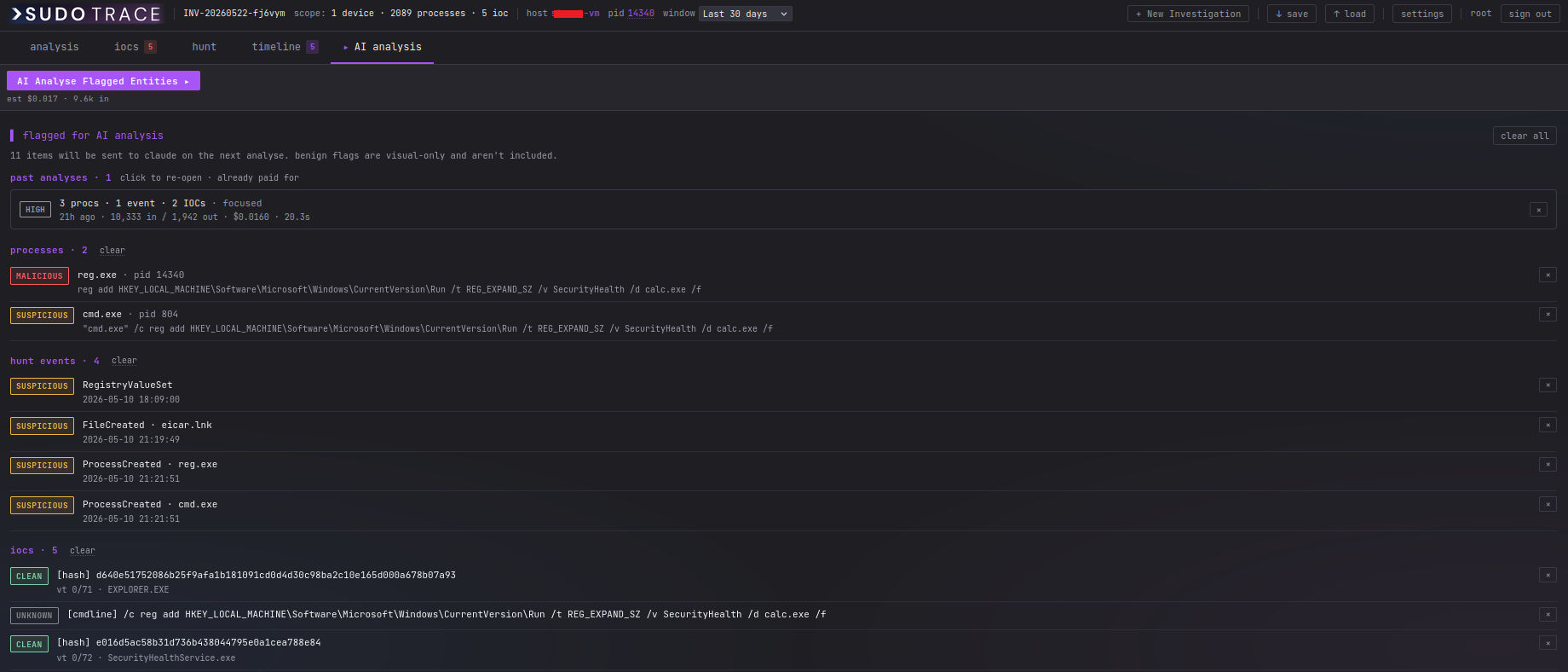
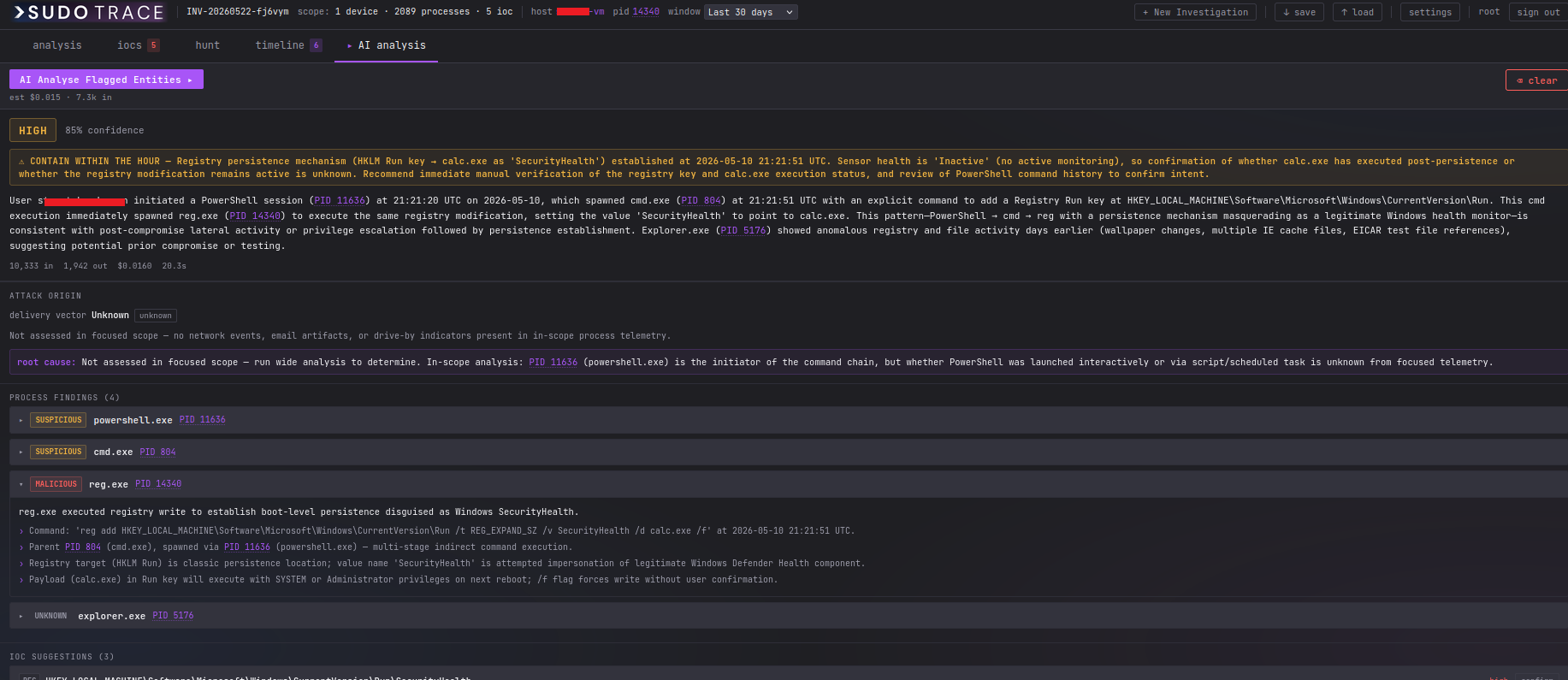
From there, you’re in control. Review the process tree, flag the processes that look suspicious or malicious, and confirm the IOCs you want examined. Send those flagged items to Claude and it analyses the scoped data as a virtual blue-team analyst: working backwards from the focal process to find the true root cause, identifying the delivery vector with a confidence level, flagging lateral movement indicators, and producing structured findings that reference exact PIDs, timestamps, and command lines. Every finding is grounded in the telemetry you selected.
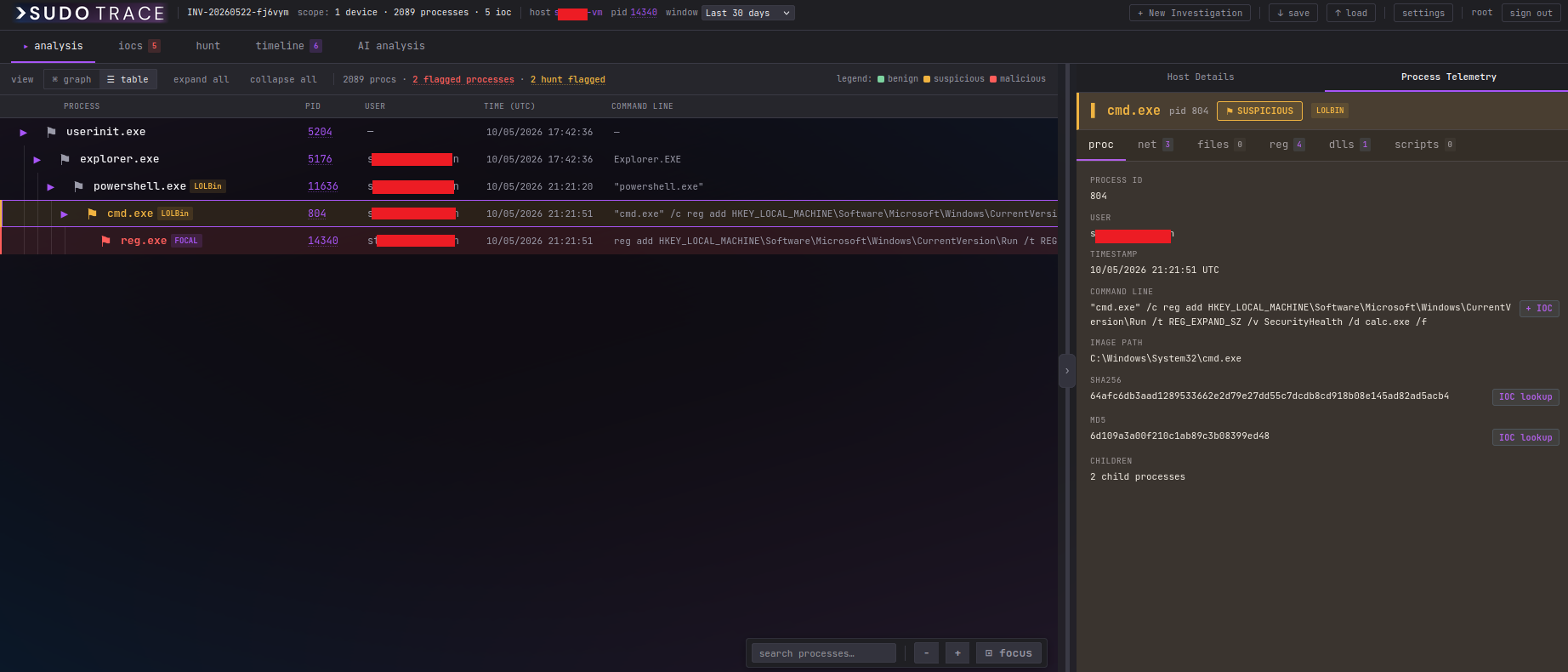
- Visual process tree with colour-coded flagging: suspicious (amber), malicious (red), benign (green)
- Core telemetry tables loaded in parallel via the Microsoft Graph Security API
- Claude Sonnet analysis: root cause, delivery vector, attack narrative
- Investigation tabs: Analysis, IOCs, Hunt, Timeline, and AI analysis
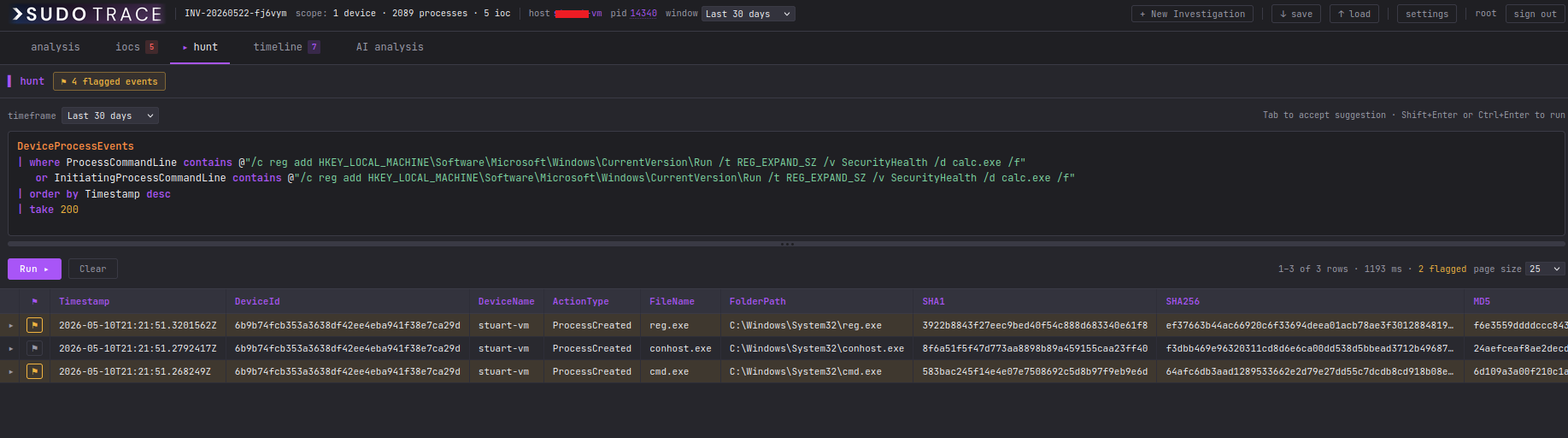
- Raw KQL editor with syntax highlighting
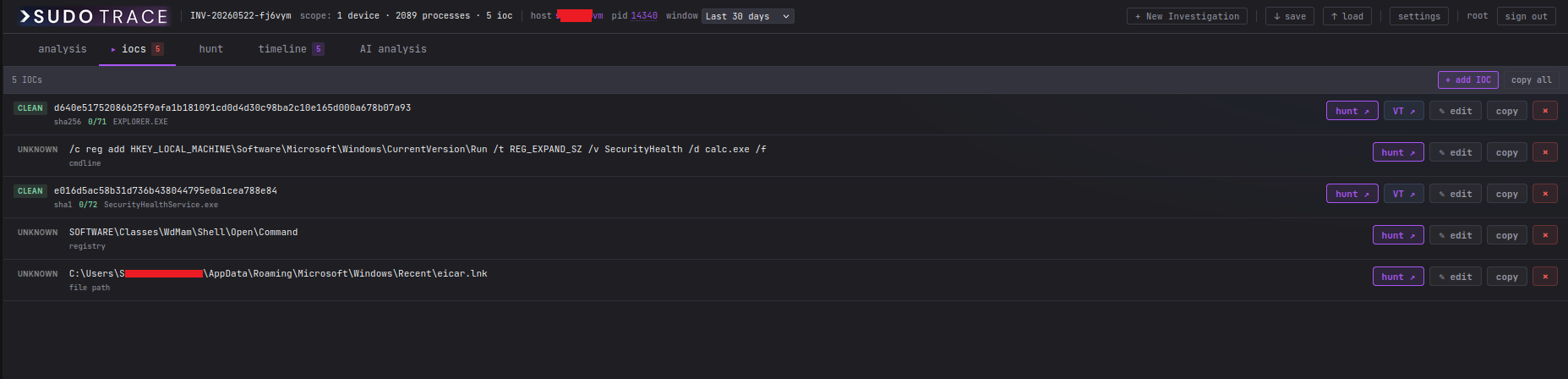
- Analyst-confirmed IOC list integrated with VirusTotal for clean/malicious verdicts
Pivot to hunting from your curated IOC list:
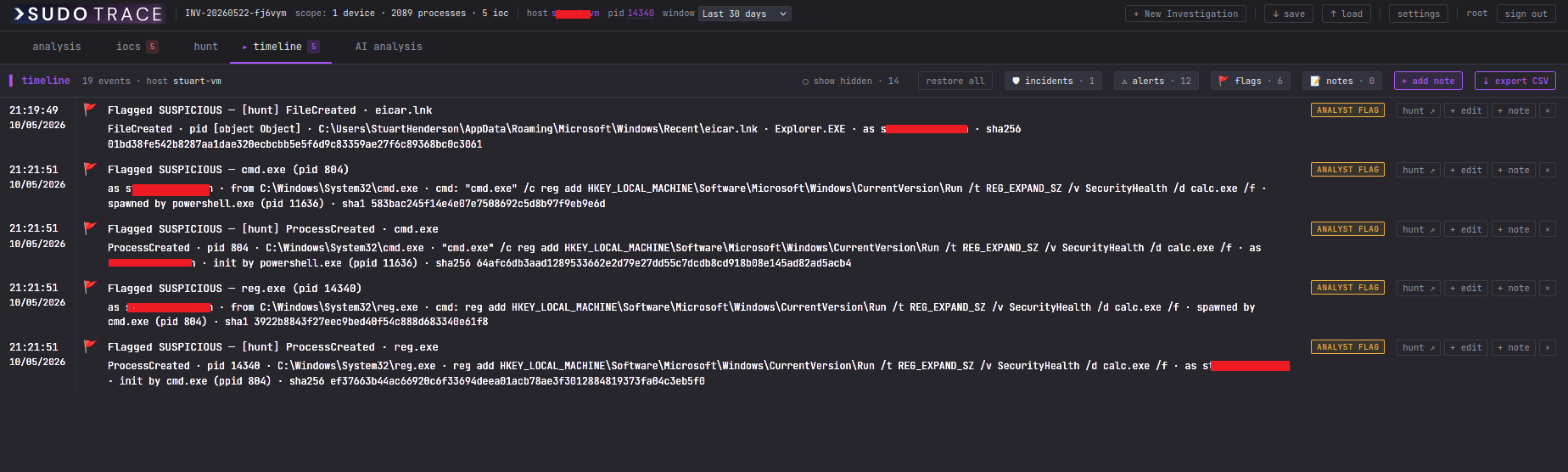
Flag events as benign, suspicious, or malicious to build your timeline:
The timeline itself can be edited and exported:
Once every entity is flagged (processes, IOCs, and raw events), submit them to the AI for analysis:
The AI reviews the flagged entities and tells you whether the activity is benign or malicious, with a confidence level:
>SudoTrace is not a monitoring tool and it’s not a SIEM. It’s an investigation workbench: you bring it in when you already have something to investigate.
Status. v1 is out and open source: github.com/Sudo-Savvy/SudoTrace. It is free to use and still a little rough around the edges. To run it you need a Microsoft Defender for Endpoint tenant with an Entra ID app registration and the appropriate API permissions configured.
Update 25/06/2026: New Business Email Compromise Checker
I’ve built a BEC and account-compromise module into >SudoTrace that pulls everything you need to understand what an attacker did with a compromised account. Give it a user and a time window, and it reconstructs their activity in order, then hands you a phased incident-response runbook to work through.
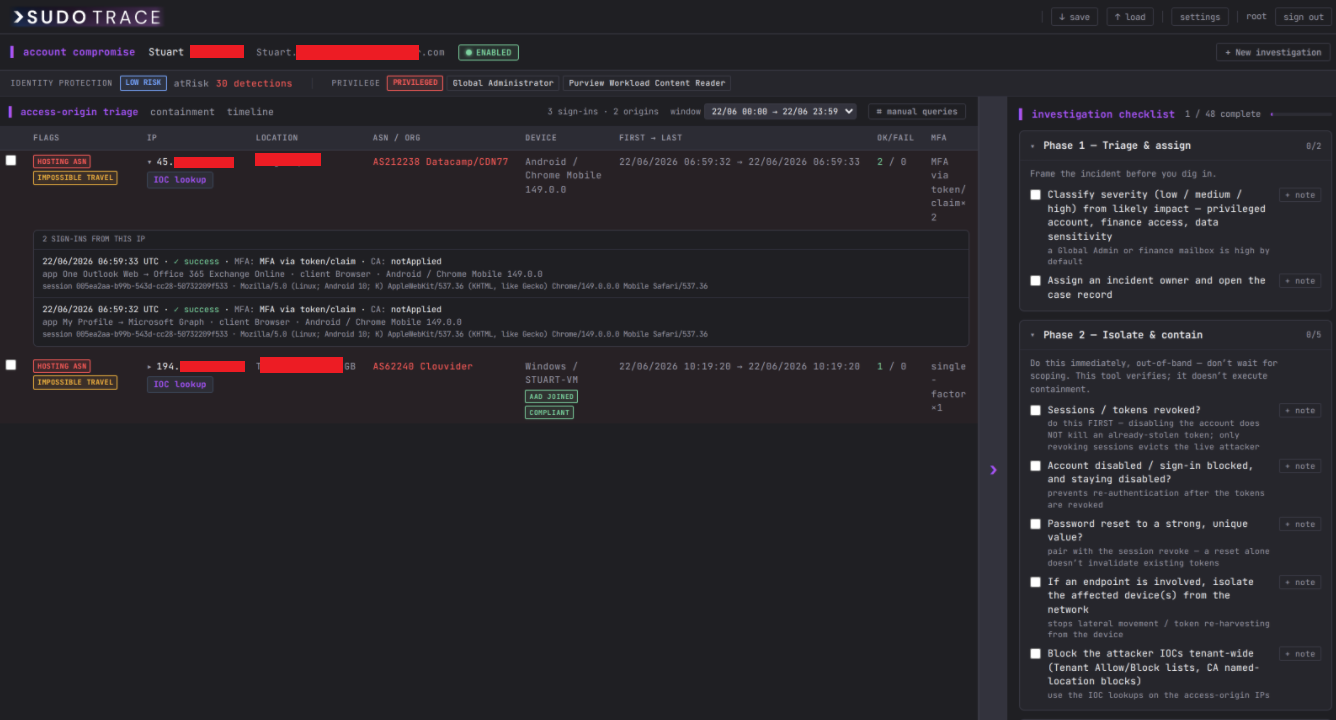
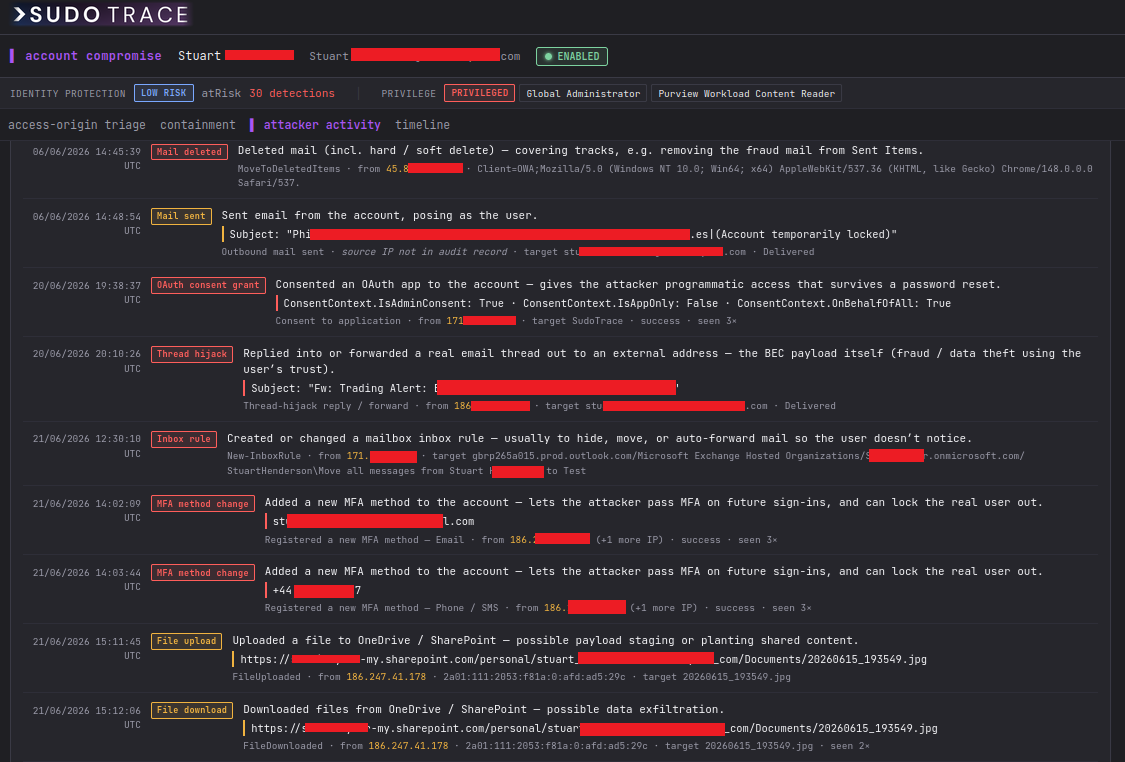
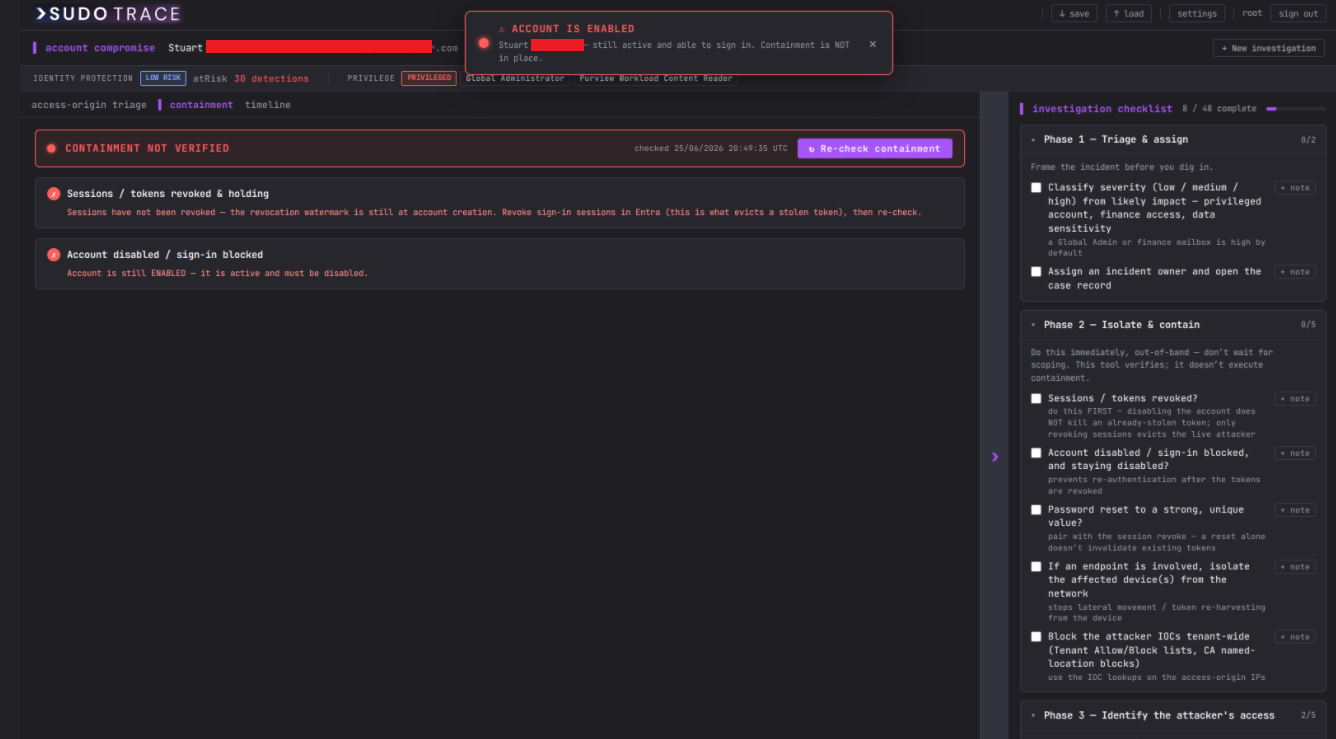
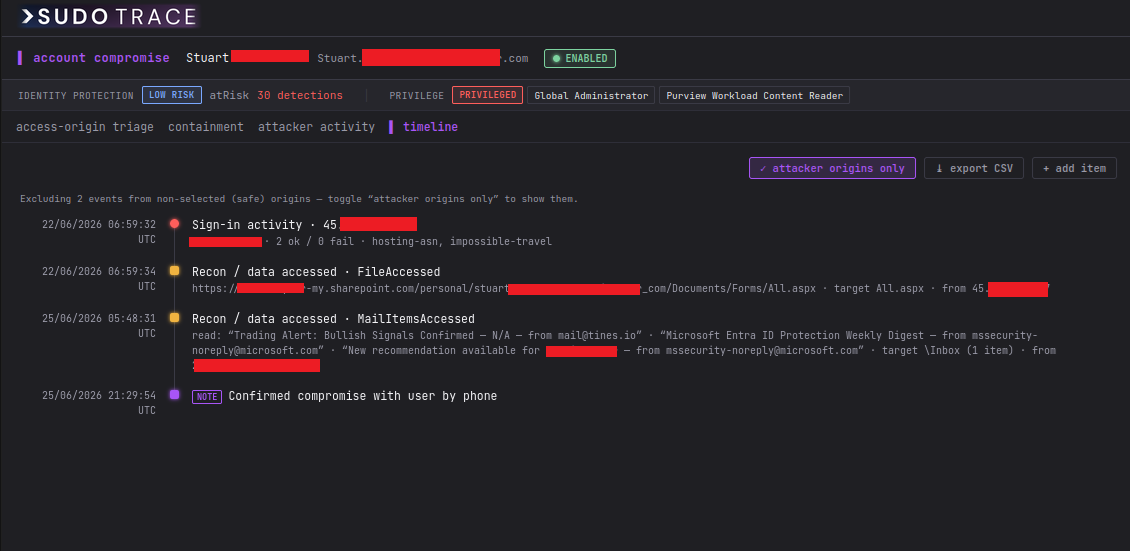
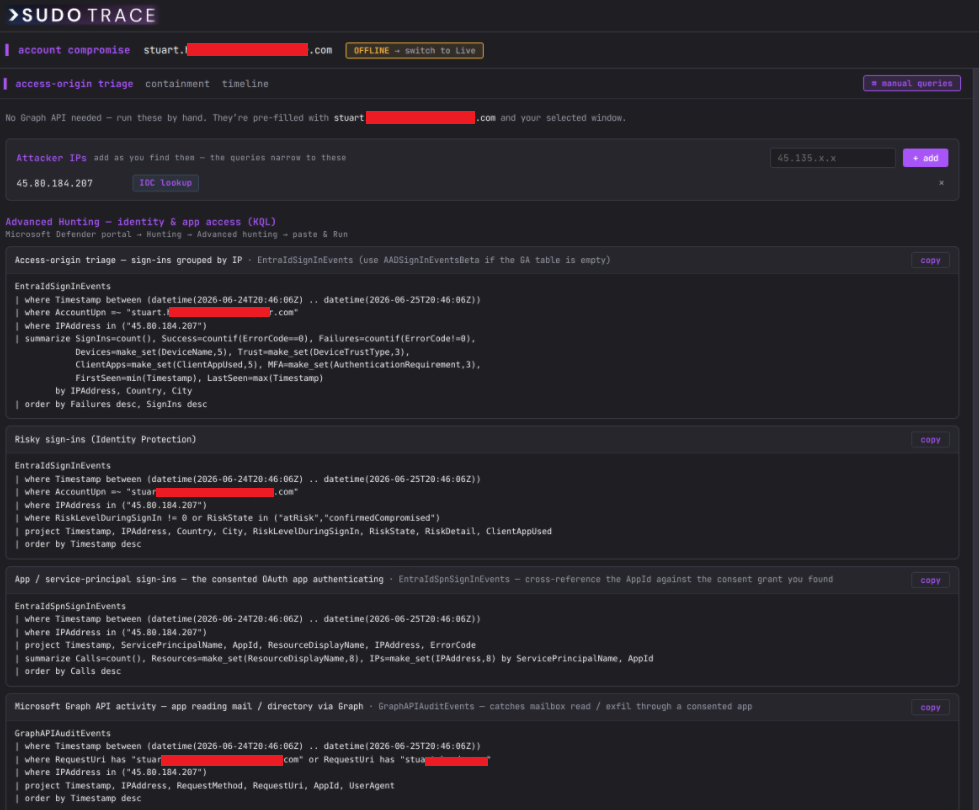
Not every responder has app credentials to hand. In offline mode, >SudoTrace skips Graph entirely and generates copy-paste Advanced Hunting (KQL) queries pre-filled with the account and time window. Add suspicious IPs as you find them and every query narrows to them.
Don’t want to run the tool? Use the query generators instead
Not everyone can stand up a self-hosted tool or get an app registration signed off, and that’s fair enough. So I’ve put the two hunt-query engines from >SudoTrace on this site as standalone browser pages. You get the same queries without installing anything:
- BEC Checker: business email compromise and account takeover. Give it a user, then add IOCs (IPs, senders, domains) as you find them.
- Device Investigator: endpoint compromise. Give it a hostname or MDE device ID, optionally an account or PID, then add IOCs as your investigation progresses.
Both generate copy-paste KQL for Microsoft Defender XDR (Advanced Hunting) or Microsoft Sentinel (Log Analytics). Pick your platform and the table and time-column names are rewritten to match. Everything runs client-side in your browser: no API access, no credentials, and nothing you type is sent anywhere.